Trader Profit Menu
Tracking of player-owned trader ships’ realized profit. Currently the menu is minimal — just an enable toggle and a sort selector. The detailed per-trader list appears once the tracking script has enough data.
In-game view
Section titled “In-game view”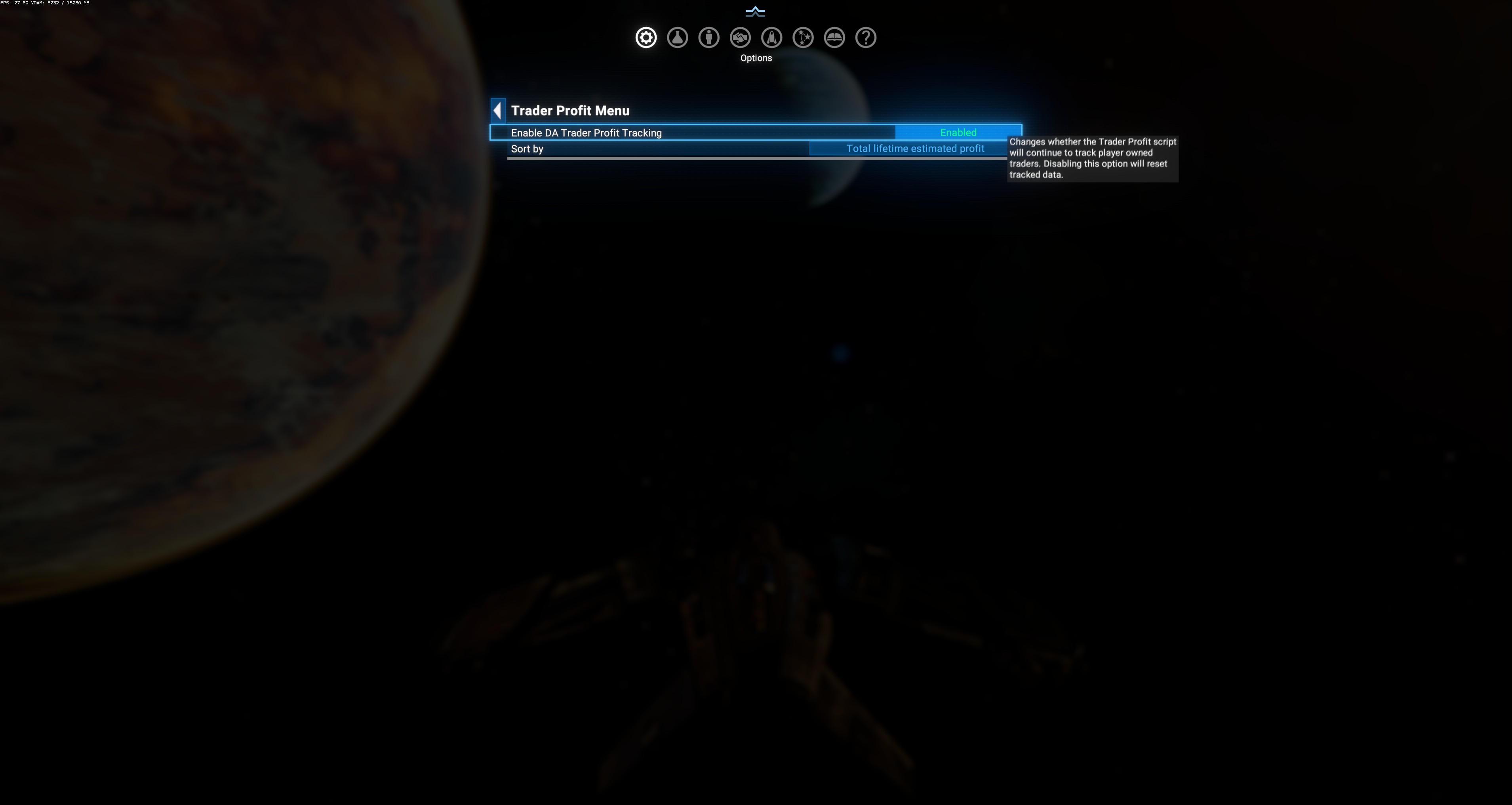
Layout
Section titled “Layout”- Enable DA Trader Profit Tracking — master toggle (currently
Enabledin screenshot). - Sort by — dropdown, currently set to
Total lifetime estimated profit.
Hover tooltip on the Enable toggle:
“Changes whether the Trader Profit script will continue to track player owned traders. Disabling this option will reset tracked data.”
Master toggle behavior
Section titled “Master toggle behavior”- Enabled (default): DA continuously tracks realized profit on all player-owned traders. Each completed trade round adds to a running total per ship.
- Disabled: DA stops tracking AND resets the accumulated data. Turning it back on starts from zero.
Sort options (dropdown)
Section titled “Sort options (dropdown)”Currently visible: Total lifetime estimated profit. Other likely options (from vanilla trader-list patterns):
- Total lifetime estimated profit (default)
- Profit per hour
- Profit per trade
- Ship name (alphabetical)
- Assignment / role
Where the per-trader list appears
Section titled “Where the per-trader list appears”Once you have player-owned trader ships in the game, they should populate a table below the sort dropdown showing per-ship rows:
- Ship name
- Total profit
- Profit rate
- Current assignment
- Origin sector
The observed screenshot shows only the top-of-menu controls, suggesting the player either:
- Doesn’t have any owned traders yet in this save, OR
- The list is above/below the visible area (scrolled off), OR
- The tracking was just enabled (recently reset — no data yet accumulated).
$DATPTraderTable in source
Section titled “$DATPTraderTable in source”The state lives at md.$DADynamicVarTable.$DATPTraderTable (set to table[] at init, md/deadairdynamicuniverse.xml:286). Each entry is a per-ship record. The tracker fires on trade-completed events for player-owned ships.
Use cases
Section titled “Use cases”- Diagnose bad trader routes: low profit-per-hour ships should be reassigned to better lanes.
- Compare trader efficiency: two similar-class ships on different routes — Trader Profit shows which route is more profitable.
- Verify ST subsystem profit (if you have subordinate traders spawned via Station Subordinate Traders) — should show profit contribution from ST-managed ships.
- Disable during testing: if you’re rearranging fleets and don’t want the numbers to include partial rounds, disable → re-enable to reset.
- Player-owned only — NPC trader profits are not tracked here.
- Estimated profit — the tooltip word “estimated” is deliberate. DA computes profit from trade-completed price × quantity minus reference cost; this doesn’t perfectly account for ship losses, jump fuel, etc.
- Reset on disable is deliberate — DA wants clean data when re-enabled.
- Not in Presets scope — the toggle and sort persist across preset switches.