Increase Relations
Player-driven diplomatic shop. Spend a source faction’s Diplomatic Favors (currency earned by doing missions for that faction) to buy +5 relation between the source and each other faction.
In-game view
Section titled “In-game view”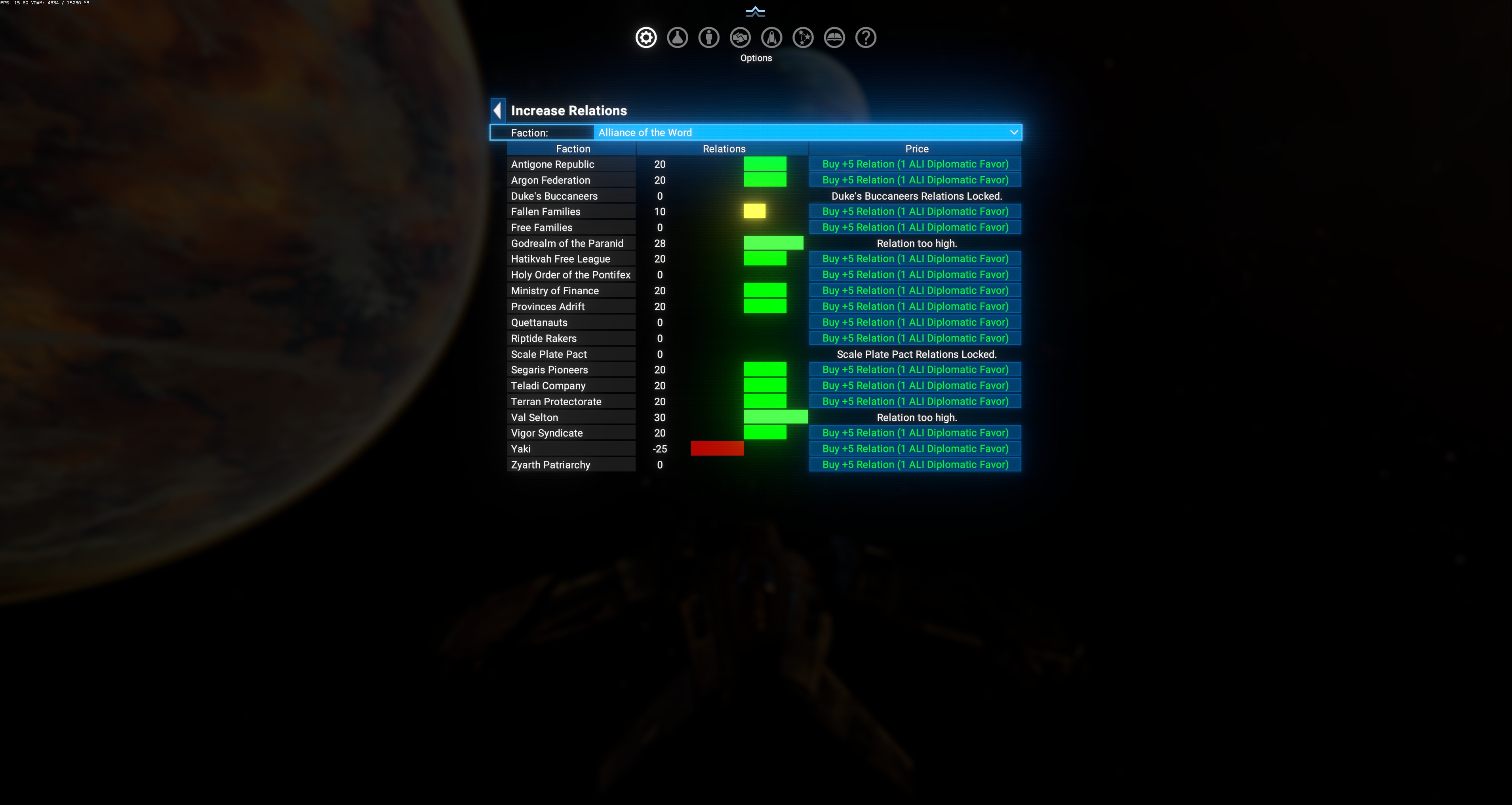
Layout
Section titled “Layout”- Faction dropdown — the “source” faction whose Diplomatic Favors you’re spending. Called ALI (Alliance of the Word) in the screenshot; changes when you pick another faction.
- Table columns:
- Faction — every eligible target faction.
- Relations — current relation value + a colored bar (green = friendly, yellow = neutral, red = hostile).
- Price —
Buy +5 Relation (1 <src> Diplomatic Favor)button.
Special row states
Section titled “Special row states”- Duke’s Buccaneers Relations Locked. / Scale Plate Pact Relations Locked. — locked factions cannot be adjusted from this menu. Use Unlock Relations to change lock state.
- Relation too high. — target already at cap for that pair (e.g. Godrealm at 28, Val Selton at 30 in the screenshot). No purchase available until relation drops.
When to use
Section titled “When to use”- You need a faction friendly fast for a mission / license and don’t want to grind vanilla rep.
- You’re rebalancing after a DW event push relations somewhere you didn’t want.
- Role-play: buying alliances with hard currency instead of favors-earned-in-battle.
Where Diplomatic Favors come from
Section titled “Where Diplomatic Favors come from”Favors are the vanilla per-faction “friend currency” earned from completing that faction’s mission board tasks. This menu just spends them for a different outcome than the vanilla shop.