DA Information Menus
Central read-only diagnostic hub. Every entry here is a viewer — no configuration knobs, just data pulled from live game state (or from DA’s own tracking tables).
In-game view
Section titled “In-game view”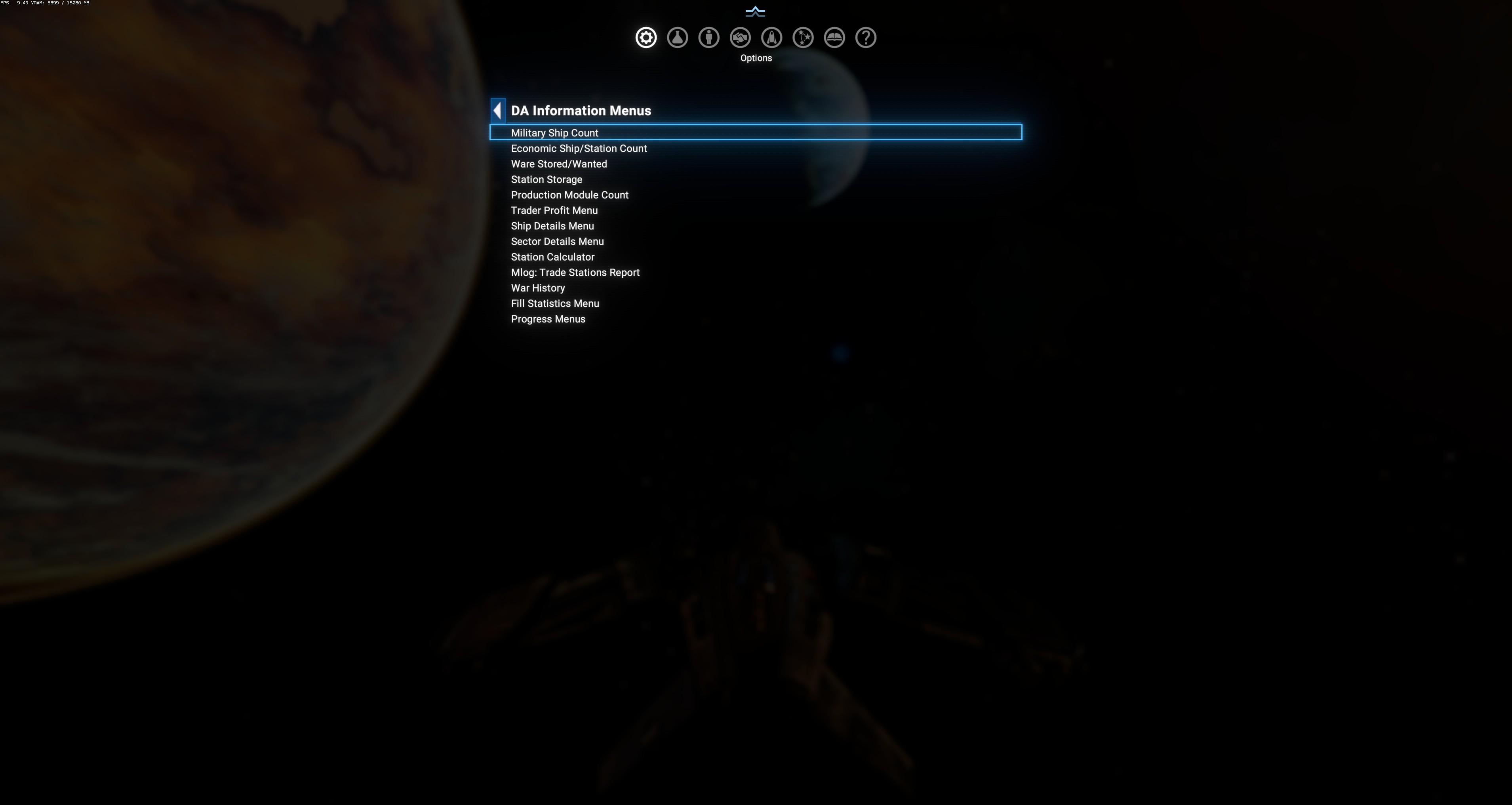
The 13 entries
Section titled “The 13 entries”Menu order (verified against source, localization ids 401-410, 144, 213, 381):
| # | Entry | What it shows |
|---|---|---|
| 1 | Military Ship Count | Faction × ship-class matrix of active military ships + Threat Score. |
| 2 | Economic Ship/Station Count | Faction × ship-class matrix of civilian ships + Stations column. |
| 3 | Ware Stored/Wanted | Faction stockpile snapshot — per-ware Stored/Wanted with visual excess/shortage bars. |
| 4 | Station Storage | Faction storage capacity view — per-ware Producer / Consumer breakdown. |
| 5 | Production Module Count | Faction × module-type table (Operational / Planned modules). |
| 6 | Trader Profit Menu | Player-owned trader profit tracking. |
| 7 | Ship Details Menu | Detailed per-faction ship breakdown by object purpose + specific ship types. |
| 8 | Sector Details Menu | Per-sector control map — ownership, station count, threat score, per-faction ship counts. |
| 9 | Station Calculator | Manual station-design calculator (Production / Consumption forecast). |
| 10 | Mlog: Trade Stations Report | Compact trade-station roster with subordinate M-trader counts (mlog094 diagnostic). |
| 11 | War History | Per-faction-pair active conflict statistics — Fatigue, Score, kill breakdowns. |
| 12 | Fill Statistics Menu | Cross-link to DA Fill → Fill Statistics Menu — same page reached from two menu paths. |
| 13 | Progress Menus | Cross-link to DA Blueprint Analysis → Progress Menus — same read-only viewer, two entry points. |
Design pattern
Section titled “Design pattern”Every report page follows the same shape:
- A filter row at the top (usually a faction dropdown — click to open, select target). Some pages have Display Mode dropdowns instead.
- A column-header row identifying what each column shows.
- Body rows — one per entity (faction, sector, ware, ship class, etc.).
- Sometimes a totals row at the bottom (Galaxy-wide roll-up).
Menus refresh on-open, not real-time — reopen to see the latest state.
When to use each
Section titled “When to use each”- “How does my faction rate militarily?” → Military Ship Count (compare Threat Score column).
- “Who’s about to run out of X ware?” → Ware Stored/Wanted (Red bars flag shortages).
- “Which faction dominates a sector?” → Sector Details Menu.
- “Is my trader network profitable?” → Trader Profit Menu.
- “Should I build another XYZ module for my station?” → Station Calculator.
- “How healthy is the wharf/shipyard trade-station backbone?” → Mlog: Trade Stations Report (mlog094 subordinate-count column).
- “Are Argon and Teladi actually at war or just posturing?” → War History (Fatigue / Score columns).