Sector Faction Logic Menu
Enable or disable faction logic on a per-sector basis. Faction logic is the umbrella term for a sector’s expedition target eligibility, station-creation eligibility, patrol paths, and dynamic-war participation from that sector’s owner.
In-game view
Section titled “In-game view”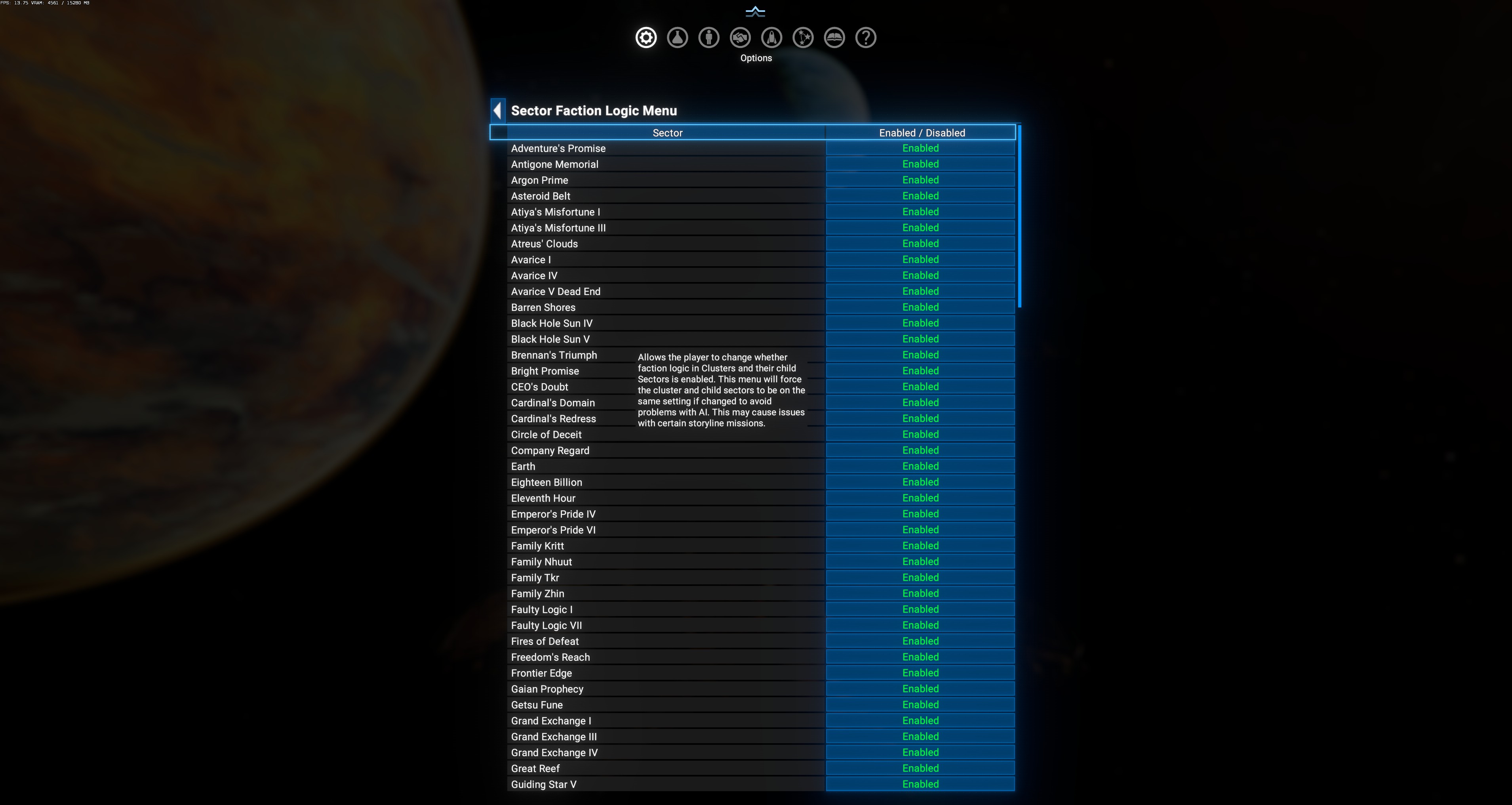
Layout
Section titled “Layout”| Column | Meaning |
|---|---|
| Sector | Every known sector (both vanilla and DLC/mod). Long list — scroll through it. |
| Enabled / Disabled | Current state per sector. Click to toggle. |
In-game tooltip (verbatim)
Section titled “In-game tooltip (verbatim)”Allows the player to change whether faction logic in Clusters and their child Sectors is enabled. This menu will force the cluster and child sectors to be on the same setting if changed to avoid problems with AI. This may cause issues with certain storyline missions.
Cluster propagation
Section titled “Cluster propagation”Toggling any single sector propagates the change to the entire cluster (parent + all children). This prevents AI from getting confused about a cluster where some children are faction-active and some aren’t. Practical consequence: if you disable “Argon Prime”, “Argon Prime System” and all other Argon Prime cluster children flip together.
Storyline mission warning
Section titled “Storyline mission warning”The tooltip warns that disabling sectors may break story arcs. Examples of at-risk missions:
- Any faction plot arc that expects the plot faction’s ships to reach a specific sector.
- Terraforming arcs — some depend on faction economic activity in a target cluster.
- Timelines / Boron / Pirates / Terran arcs — most reference vanilla clusters.
Best practice: don’t disable clusters that host currently-active plots. Disabling remote / already-completed plot clusters is safer.
When to use
Section titled “When to use”- Role-play: create “quiet zones” where AI factions don’t posture.
- Performance: some players find disabling far-flung DLC clusters helps ticks.
- Testing: isolate a mod’s behavior to a specific region.
When NOT to use
Section titled “When NOT to use”- Playing through Egosoft plot arcs — leave everything default until the arc completes.
- If you’re not sure whether a sector is plot-relevant, err on the side of leaving it enabled.