Decrease Relations
Mirror of Increase Relations — spend the source faction’s Diplomatic Favors to buy -5 relation with each target.
In-game view
Section titled “In-game view”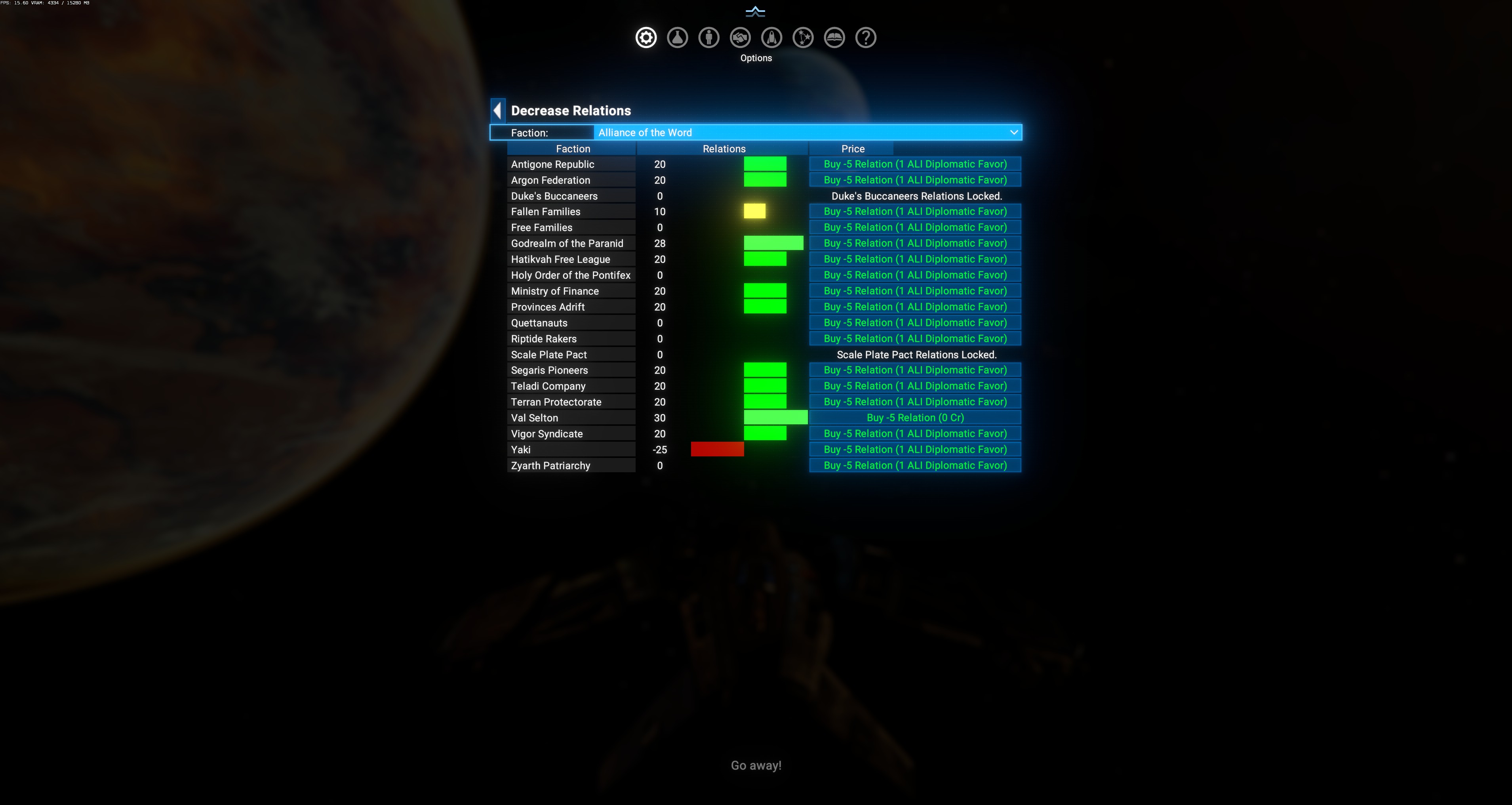
Layout
Section titled “Layout”Same structure as Increase Relations:
- Faction dropdown — source faction whose favors you’re spending.
- Table: Faction / Relations /
Buy -5 Relation (1 <src> Diplomatic Favor)button.
Special row states
Section titled “Special row states”<Faction> Relations Locked.— locked factions cannot be adjusted; use Unlock Relations first.Buy -5 Relation (0 Cr)— some entries have a free / non-favor price path (Val Selton shows(0 Cr)in the screenshot). This is DA’s handling of factions the source is already at max-hostile with — no favor cost, but confirmation still needed. Look at the price text carefully before clicking.
Why decrease?
Section titled “Why decrease?”- Trigger a proxy war between AI factions you dislike.
- Break an unwanted alliance that DA formed between two neighbors.
- Set up a “nemesis” scenario for role-play.
- Undo an accidental Increase purchase.
Interaction with DW
Section titled “Interaction with DW”Buying decrease doesn’t disable the auto DW picker — future DW events can still push the relation back up. If you want a permanent hostility state, combine this with:
- Ignored Factions — stop DW from touching one side.
- Unlock Relations — lock the relation entirely.