DW Ignored Factions
Soft skip for the DW event picker. Ignored factions never get chosen for auto-events, but you can still adjust their relations manually through Increase Relations and Decrease Relations.
Different from Unlock Relations:
| Locked (from Unlock Relations) | Ignored (from this menu) | |
|---|---|---|
| Auto DW events | ❌ Blocked | ❌ Blocked |
| Manual buy relation | ❌ Blocked | ✅ Allowed |
| Diplomacy through vanilla missions | ❌ Blocked | ✅ Allowed |
In-game view
Section titled “In-game view”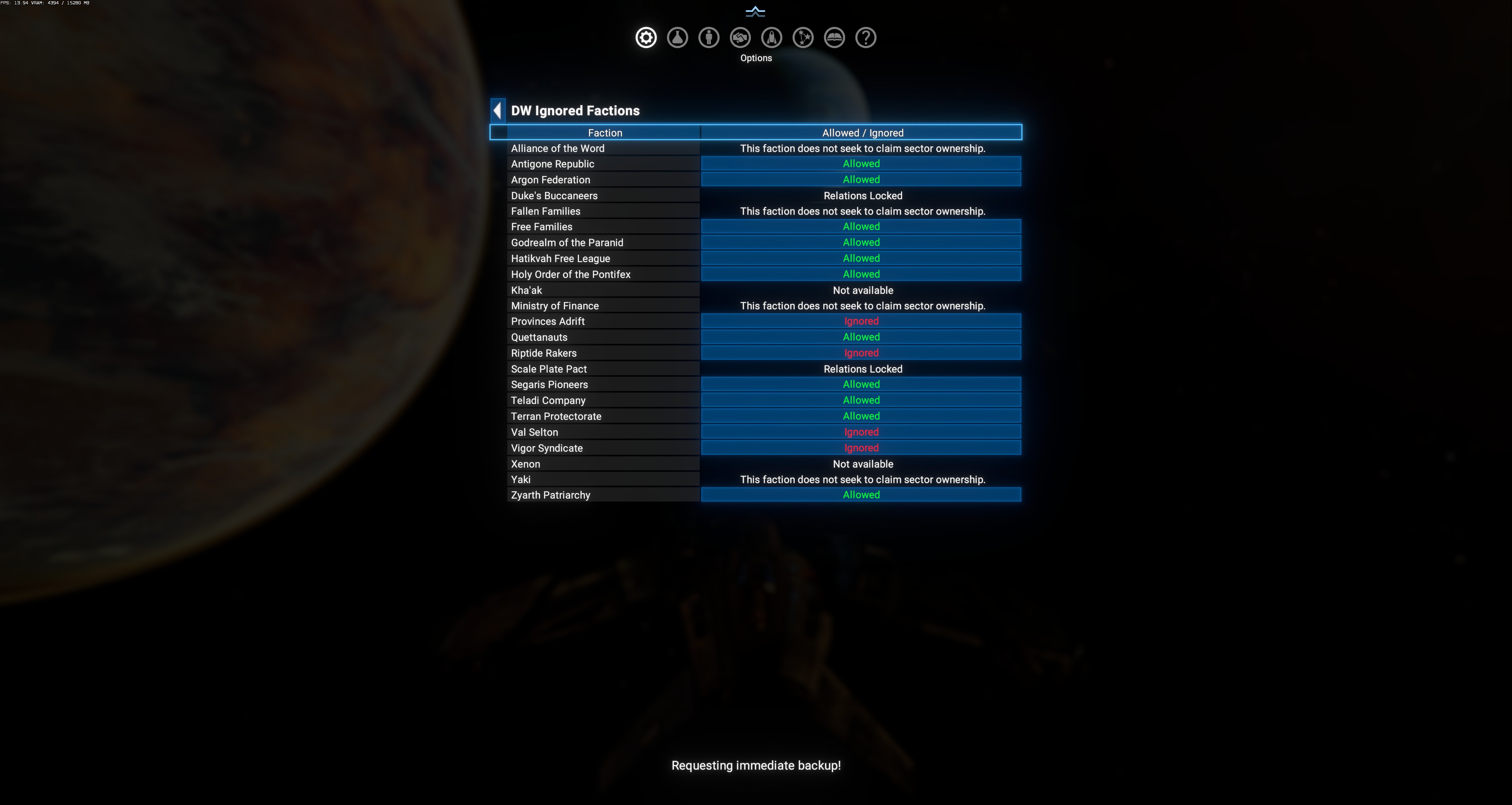
Layout
Section titled “Layout”Single table:
| Column | Meaning |
|---|---|
| Faction | Every enumerated faction. |
| Allowed / Ignored | Current state. Click to toggle where applicable. |
Special row states
Section titled “Special row states”Rows shown in the info tone (no toggle) mean the faction is automatically excluded by DA logic — not a player choice:
This faction does not seek to claim sector ownership.— the faction has notag.claimspacetag, so the DW system has no territorial claim to shift. Examples in the screenshot: Alliance of the Word, Fallen Families, Ministry of Finance, Yaki.Relations Locked— the faction is Locked via Unlock Relations (Duke’s Buccaneers, Scale Plate Pact in the screenshot).Not available— the faction is intrinsically excluded (Kha’ak, Xenon — always-hostile).
When to ignore
Section titled “When to ignore”- Storyline factions where you want manual control but not auto-shifts (e.g. Scale Plate Pact after unlocking).
- Player-owned or player-aligned factions (though these usually don’t participate anyway).
- Testing / role-play scenarios — freeze the DW picker to a specific subset.
When to un-ignore
Section titled “When to un-ignore”- You added a compat mod that expects the faction to be active in DW.
- Save-file recovery — DA should generally pick a faction back into rotation after you un-ignore it.